
Instagram has quietly become a communication platform beyond photos and reels. Voice calls, video calls, group calls — millions of conversations happen inside the app every day. Yet the moment someone tries to find a proper call history log the way their phone’s dialler displays it, they hit a wall. There is no dedicated call history tab, no timestamp summary screen, no record showing missed calls in one clean list. What Instagram does store is buried inside individual conversation threads, and once you know where to look, retrieving it is straightforward.
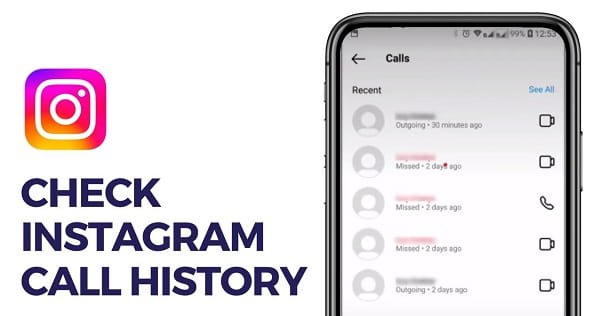
How Instagram Handles Call Records
Unlike your phone’s native dialler — which maintains a centralized log of all incoming, outgoing, and missed calls — Instagram treats every call as part of the conversation thread where it was initiated. A voice or video call with a contact appears as an entry inside that specific Direct Message chat, showing the call type, date, time, and duration.
This design means your entire Instagram call history is distributed across individual conversation threads rather than consolidated in one place. There is no option as of 2026 to view a single list of all calls across all contacts simultaneously. Each conversation holds its own record, and browsing call history means checking conversations one at a time.
One important caveat: Instagram call records are not permanent. Older call entries gradually disappear from conversation threads over time, particularly when threads are inactive for extended periods. If you need to preserve call records for documentation purposes, acting quickly is important.
Method 1: Check Call History Inside DM Threads
The primary way to view call history on Instagram is through Direct Messages.
Open Instagram on your phone or desktop. Tap the paper airplane icon in the top-right corner of the home feed to open your DM inbox. Find and tap the conversation with the person whose call history you want to check.
Inside the conversation thread, scroll up through the chat history. Every voice and video call appears as a distinct entry — showing whether it was a voice call or video call, whether it was incoming or outgoing, the date and time, and the duration of the call. Missed calls appear marked separately with a note indicating the call wasn’t answered.
This is the only built-in method available within Instagram itself. It doesn’t require any additional apps, permissions, or workarounds. The limitation is that it only shows history for one conversation at a time.
Method 2: Download Your Instagram Data
For a more comprehensive record that goes beyond what’s visible in individual chats, Instagram’s own data download feature is the most thorough official option available.
Go to Settings → Account Centre → Your Information and Permissions → Download Your Information. Select your Instagram account, choose Messages from the data categories, set the format to JSON or HTML, and request the download. Instagram sends a notification when the file is ready — typically within a few hours depending on account size.
Inside the downloaded package, navigate to the messages folder. Each conversation has its own file or folder containing the complete message and call history for that thread. Call entries include timestamp, call type (audio or video), duration, and participants. This method is particularly useful for retrieving older records that may have disappeared from the app’s visible interface but were captured in a previous data export.
Method 3: Check Notification History on Android
For missed or recent calls that you received but didn’t pick up — and that may no longer appear prominently in the chat — Android’s notification history can serve as a secondary reference.
Go to Settings → Notifications → Notification History on your Android device and enable it if it hasn’t been turned on. Scroll through past notifications from Instagram. Incoming calls generate notifications with the caller’s username and call type — this log retains entries even if the in-app record has aged out or if the conversation was cleared.
This method works only on Android and only captures notifications received after the feature was enabled — it cannot retroactively show older missed calls.
What Instagram Call History Does Not Show
Several things are conspicuously absent from any Instagram call record, and worth knowing before relying on it for documentation:
Instagram does not record or store audio or video content from calls. The record shows that a call happened, its duration, and between whom — nothing more. There is no replay function, no voicemail equivalent, and no way to retrieve the content of a past call through any official channel.
Instagram also does not show call history between accounts that have blocked each other or between accounts where the conversation has been deleted. Deleting a conversation permanently removes all call records within it from both parties’ views.
Viewing Call History on Desktop
The desktop version of Instagram at instagram.com supports Direct Messages fully. Log in, open the DM section via the paper airplane icon in the left sidebar, and open the relevant conversation. Call history entries are visible the same way they appear on mobile — scrolling up through the thread reveals all records for that conversation.
5 FAQs
Q: Does Instagram have a dedicated call history section?
A: No. Instagram doesn’t offer a centralized call log. Call records are stored inside individual DM conversation threads and must be checked one conversation at a time.
Q: How long does Instagram keep call history in chats?
A: Instagram doesn’t publish a fixed retention period. Call records in active conversations tend to persist longer than those in inactive threads. Older records gradually disappear over time.
Q: Can I see Instagram call history for calls I missed?
A: Yes. Missed calls appear inside the DM thread with the relevant contact, marked distinctly from completed calls. Android notification history is a secondary check for recently missed calls.
Q: Does deleting a DM conversation delete the call history too?
A: Yes. Deleting a conversation removes all message and call records within it permanently from your account. The other party’s copy is unaffected by your deletion.
Q; Can I download my Instagram call history as a file?
A: Yes. Through Instagram’s data download feature (Settings → Account Centre → Your Information and Permissions → Download Your Information), you can export message data including call records as a JSON or HTML file.